Help & Support
How to connect a Game Account

A game account is an account which uniquely identifies you for the specific game. They are usually used to receive certain information from the game such as requesting your elo / matchmaking rating, your username or other information.
Once a gameaccount has been added you are not able to remove it anymore to prevent smurfing. Please contact an admin if you need help with your connected game account.
1. Go to your game settings page
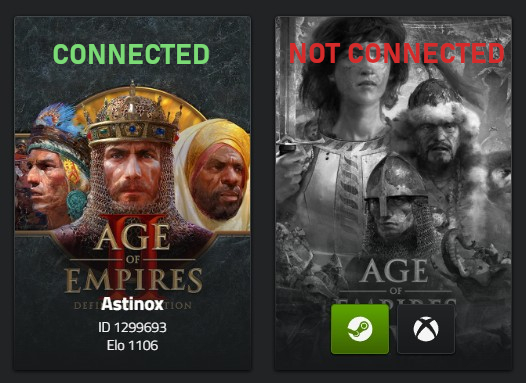
Head over to Game Settings. If the game you want to play is displayed in gray and has buttons at the bottom of the image, then your account is not connected yet. In that case, check which account you have to connect.
2. Connect your service account
In our example case, we need a Steam account to connect our game account. Go to your Integrations settings page and connect your Steam account.
3. Connect your game account
After you have connected your service account, head back over to the Game Settings page and click on the green button. Once the game is displayed in a colored format and shows your ID at the bottom your game account is connected!